Connected Device Integration: Building Your Smart Home Ecosystem
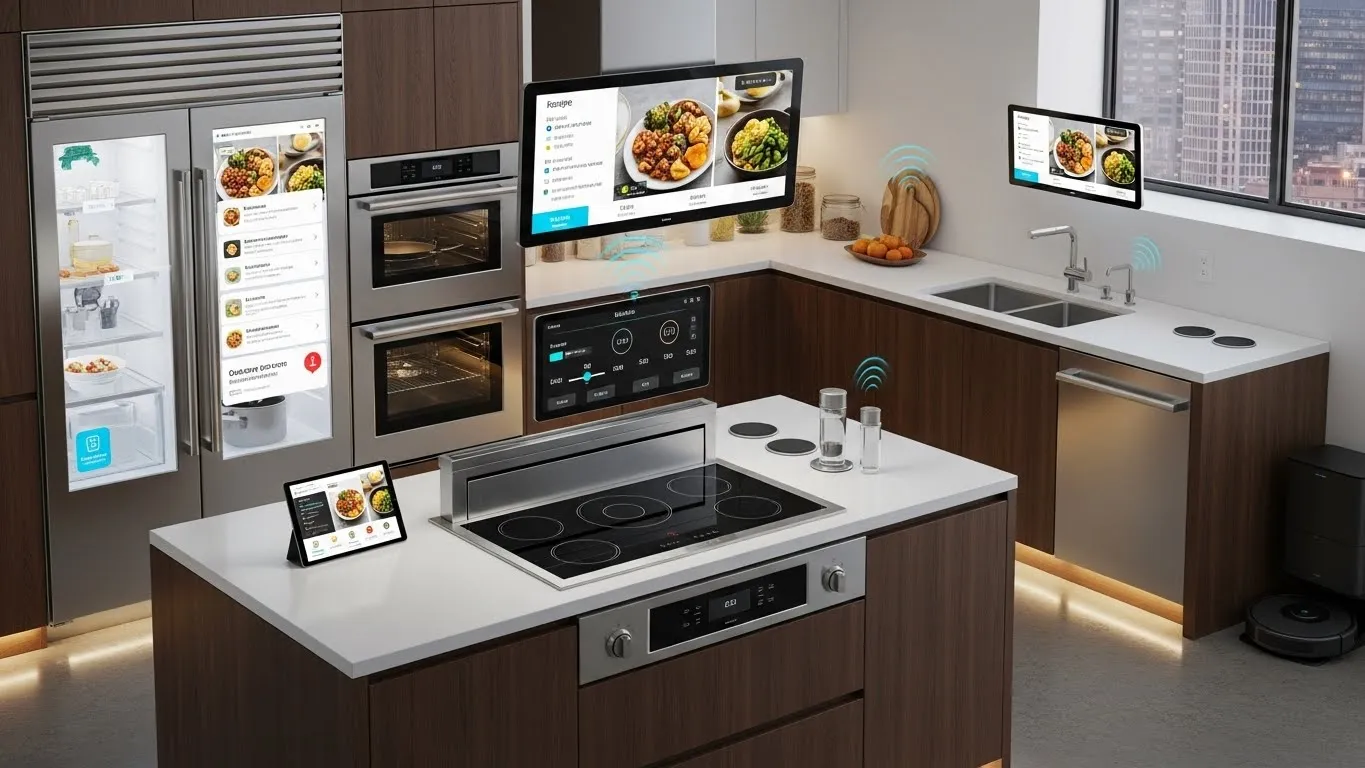
Connected Device Integration: Building Your Smart Home Ecosystem
The dream of a truly intelligent home is no longer a futuristic fantasy; it's a present-day reality made possible through effective connected device integration. As the number of smart devices in our homes grows—from smart speakers and lighting to thermostats and security cameras—the challenge shifts from merely owning these gadgets to making them work together harmoniously. Building a cohesive smart home ecosystem is about more than just convenience; it's about creating a personalized, responsive environment that anticipates your needs and simplifies your daily life. This guide will walk you through the essential steps and considerations for seamlessly integrating your devices, ensuring they communicate effectively and enhance your living experience.
Key Points for Connected Device Integration:
- Choose a Central Hub: Select a reliable smart home hub or platform to manage all your devices.
- Prioritize Interoperability: Look for devices compatible with common standards like Wi-Fi, Bluetooth, Zigbee, Z-Wave, or Matter.
- Plan Your Automation: Design routines and scenes that automate tasks based on your lifestyle.
- Focus on Security: Implement strong passwords and secure network practices to protect your smart home.
- Start Small, Expand Gradually: Begin with a few key devices and expand your ecosystem as you gain confidence.
Understanding Your Smart Home Ecosystem
A smart home ecosystem is a network of interconnected devices, software, and services that work together to automate and control various aspects of your home. At its core, connected device integration is the process of enabling these disparate elements to communicate and interact, creating a unified and intelligent living space. This goes beyond simple remote control, aiming for proactive automation and personalized experiences. Think of it as an orchestra where each instrument (device) plays its part under the guidance of a conductor (your smart home hub or platform).
The benefits of a well-integrated smart home are extensive. They range from enhanced security and energy efficiency to unparalleled convenience and entertainment. Imagine your lights dimming automatically as you start a movie, or your thermostat adjusting based on your presence and the outdoor temperature. These are the tangible advantages that proper device integration brings to the forefront, transforming a collection of gadgets into a truly smart home.
Choosing the Right Foundation: Smart Home Hubs and Platforms
The cornerstone of any successful connected device integration strategy is the selection of a robust smart home hub or platform. This central brain acts as the translator and orchestrator for all your smart devices, allowing them to communicate even if they use different underlying technologies. Without a central hub, you're often left managing individual apps for each device, which defeats the purpose of a unified ecosystem.
Several major players dominate this space, each with its strengths:
- Amazon Alexa (Echo devices): Known for voice control and a vast array of compatible devices. Excellent for media control and simple automations.
- Google Home (Nest devices): Offers deep integration with Google services and a user-friendly interface, strong in AI-driven routines.
- Apple HomeKit: Prioritizes privacy and security, offering seamless integration for Apple users with a focus on local control.
- Samsung SmartThings: A versatile hub supporting a wide range of protocols (Zigbee, Z-Wave, Wi-Fi), ideal for advanced users seeking flexibility.
- Home Assistant: An open-source platform offering unparalleled customization and local control, requiring more technical expertise but delivering maximum power.
When choosing, consider your existing devices, preferred voice assistant, and desired level of control. A hub that supports multiple communication protocols will offer the most flexibility for future expansion.
Navigating Interoperability: Standards and Protocols
One of the biggest hurdles in connected device integration is ensuring that devices from different manufacturers can actually "talk" to each other. This is where communication standards and protocols become crucial. Understanding these technologies will empower you to make informed purchasing decisions and avoid compatibility headaches.
- Wi-Fi: Ubiquitous and easy to set up, but can consume more power and potentially overcrowd your network with many devices. Best for high-bandwidth devices like cameras.
- Bluetooth: Ideal for short-range, low-power connections, often found in personal devices or direct device-to-phone connections.
- Zigbee: A mesh network protocol designed for low-power, low-bandwidth devices. Excellent for smart lighting, sensors, and switches, creating a robust network where devices relay signals.
- Z-Wave: Similar to Zigbee, also a mesh network, but operates on a different radio frequency. Known for its reliability and security features, often used in professional installations.
- Matter: This is a game-changer. Launched in 2022, Matter is an open-source connectivity standard designed to ensure seamless interoperability across different brands and platforms. Backed by major tech companies, it aims to simplify the smart home experience by allowing devices to work together regardless of their manufacturer or the smart home ecosystem they belong to. According to a 2024 report by the Connectivity Standards Alliance (CSA), Matter-certified devices are projected to reach over 100 million units by late 2025, significantly boosting cross-platform compatibility. This emerging standard is a key differentiator for future-proofing your smart home.
When purchasing new devices, always check for compatibility with your chosen hub and look for support for open standards like Matter to ensure long-term integration success.
Designing Smart Home Automation and Routines
The true magic of a smart home lies in its ability to automate tasks, making your life simpler and more efficient. Effective connected device integration allows you to create sophisticated routines and scenes that trigger actions based on specific conditions. This moves beyond simple remote control to proactive intelligence.
Consider these types of automations:
- Time-Based Routines: Lights turn on at sunset, coffee maker starts at 7 AM, thermostat adjusts before you wake up.
- Sensor-Triggered Automations: Motion sensors turn on lights in a hallway, door sensors trigger security alerts, temperature sensors adjust HVAC.
- Presence-Based Automations: Geofencing detects when you leave or arrive home, adjusting lights, locks, and thermostats accordingly.
- Voice Commands: "Good morning" routine turns on lights, plays news, and adjusts temperature. "Movie night" dims lights and turns on the TV.
To design effective automations, start by identifying repetitive tasks or common scenarios in your daily life. What actions could be simplified or automated? For instance, a "Goodnight" routine could lock doors, turn off all lights, and arm your security system with a single command. The goal is to create a seamless experience where your home responds intuitively to your needs. For more information on creating advanced automation flows, readers can explore related articles on smart home scripting.
Security and Privacy in Your Integrated Smart Home
As you embrace connected device integration, it's paramount to address the security and privacy implications. Every connected device is a potential entry point for cyber threats, making robust security practices non-negotiable. A 2023 cybersecurity report by Symantec highlighted that smart home devices are increasingly targeted, with a 30% rise in reported vulnerabilities over the past two years.
Here are critical steps to secure your smart home ecosystem:
- Strong, Unique Passwords: Use complex passwords for your Wi-Fi network, smart home hub, and individual devices. Avoid default passwords.
- Two-Factor Authentication (2FA): Enable 2FA wherever possible for an extra layer of security on your accounts.
- Network Segmentation: Consider setting up a separate Wi-Fi network (guest network) for your smart devices to isolate them from your primary network.
- Regular Software Updates: Keep all device firmware and app software updated. Manufacturers frequently release patches for newly discovered vulnerabilities.
- Review Privacy Settings: Understand what data your devices collect and how it's used. Adjust privacy settings to your comfort level.
- Secure Remote Access: If you access your smart home remotely, ensure the connection is encrypted and secure.
By proactively addressing these security and privacy concerns, you can enjoy the benefits of your integrated smart home with peace of mind.
Differentiated Value: Troubleshooting Common Integration Challenges
Even with careful planning, you might encounter hiccups during connected device integration. Here are some common issues and unique troubleshooting tips:
- Device Not Discoverable:
- Tip: Beyond the usual "reboot everything," check your router's band steering settings. Some older smart devices struggle with routers that automatically switch between 2.4GHz and 5GHz bands. Temporarily disabling 5GHz during setup or creating a dedicated 2.4GHz network can often resolve this.
- Insight: Many modern routers prioritize 5GHz for speed, but most smart home devices still rely on the more stable, longer-range 2.4GHz band.
- Intermittent Connectivity/Slow Response:
- Tip: Investigate potential Wi-Fi interference. Cordless phones, microwaves, and even neighbors' Wi-Fi networks can degrade signal quality. Use a Wi-Fi analyzer app to identify congested channels and adjust your router's channel settings.
- Insight: Unlike simple internet browsing, smart home devices require consistent, low-latency communication. Even minor interference can disrupt automation flows and device responsiveness.
- "Works with..." but doesn't quite work:
- Tip: When a device claims compatibility but struggles, check for specific firmware versions required by your hub. Sometimes, a device needs a specific update to fully integrate. Also, review the exact model number; subtle variations can lead to compatibility issues.
- Insight: "Works with" often implies basic functionality. Deeper, more nuanced integrations (like advanced sensor data or specific device features) might require specific software versions or even custom integrations not universally supported.
These practical, experience-based insights go beyond basic troubleshooting, offering solutions to common frustrations that often plague smart home enthusiasts.
Future-Proofing Your Smart Home Ecosystem
The smart home landscape is constantly evolving. To ensure your connected device integration remains relevant and functional, consider these future-proofing strategies:
- **Em