Beginner's Guide to Home Automation Platforms and Smart Devices
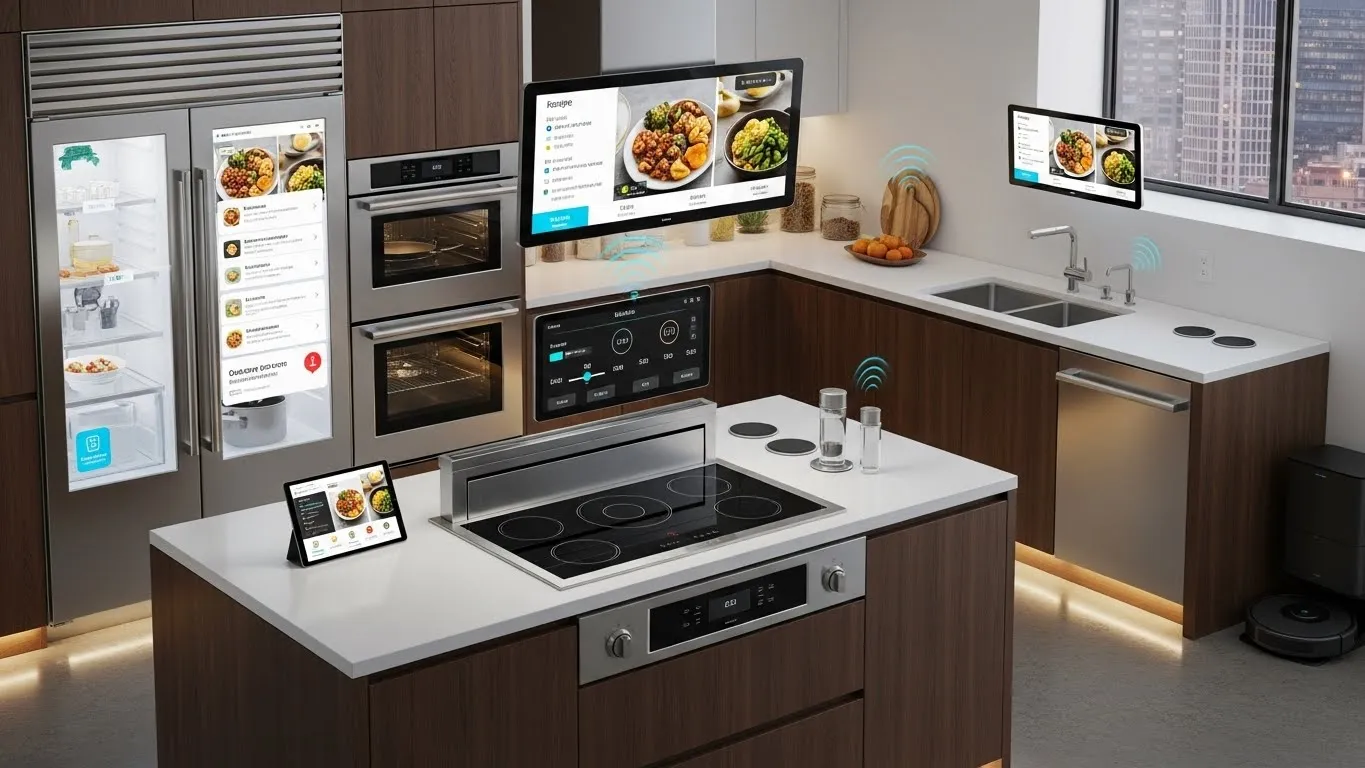
Beginner's Guide to Home Automation Platforms and Smart Devices
Welcome to the exciting world of home automation platforms and smart devices! Transforming your living space into a smart home is no longer a futuristic dream but an accessible reality. This guide is designed to help beginners navigate the vast landscape of smart home technology, offering clear insights into how these systems work, what benefits they offer, and how to choose the right devices for your needs. Whether you're looking to enhance security, improve energy efficiency, or simply add convenience to your daily routine, understanding the fundamentals of home automation is your first step towards a truly connected home. We'll explore everything from central hubs to individual smart gadgets, ensuring you have the knowledge to build a smart home that perfectly suits your lifestyle.
Key Points for Getting Started with Home Automation:
- Understand Core Components: Learn about smart hubs, voice assistants, and various smart devices.
- Prioritize Your Needs: Identify what you want to automate first (e.g., lighting, security, climate).
- Consider Ecosystems: Choose a platform (e.g., Apple HomeKit, Google Home, Amazon Alexa) for better compatibility.
- Start Small, Expand Later: Begin with a few key devices and gradually add more as you get comfortable.
- Focus on Security: Ensure your smart home network and devices are protected from cyber threats.
Understanding Home Automation Platforms and Smart Devices
The foundation of any smart home lies in its home automation platforms and smart devices. These two elements work in tandem to create a cohesive and responsive environment. A "platform" often refers to the software ecosystem or central hub that allows different smart devices to communicate and operate together. Think of it as the brain of your smart home. Smart devices, on the other hand, are the individual components—lights, thermostats, cameras, locks—that perform specific functions and connect to the platform.
What is a Smart Home Platform?
A smart home platform acts as the central nervous system for your connected devices. It provides a unified interface for controlling and automating various gadgets, often through a smartphone app or voice commands. These platforms ensure interoperability, allowing devices from different manufacturers to work together seamlessly. Without a robust platform, your smart devices would operate in isolation, diminishing the true value of home automation. The right platform simplifies management and unlocks advanced automation possibilities.
Exploring Essential Smart Home Devices
Smart devices come in a myriad of forms, each designed to enhance a specific aspect of your home. From basic convenience to advanced security, the options are extensive. Understanding the most common types can help you prioritize your initial purchases and build a functional smart home. Many beginners start with a few key devices before expanding their setup.
Smart Lighting Solutions
Smart lighting is often the entry point for many into home automation. These bulbs and switches offer remote control, scheduling, and even color-changing capabilities. They can be integrated with motion sensors or voice assistants for hands-free operation. Philips Hue and LIFX are popular brands known for their vibrant colors and ease of use.
Connected Thermostats and Climate Control
Smart thermostats like Nest or Ecobee learn your preferences and optimize heating and cooling to save energy. They can be controlled remotely, integrate with weather forecasts, and adjust based on occupancy. This not only enhances comfort but also contributes significantly to lower utility bills. Optimizing energy consumption is a major benefit of modern smart home technology.
Smart Security and Surveillance Devices
For many, home security automation is a primary driver for adopting smart technology. This category includes smart locks, video doorbells, security cameras, and alarm systems. Smart locks allow keyless entry and remote access control, while video doorbells let you see and speak to visitors from anywhere. Security cameras offer live feeds and motion-triggered recording, providing peace of mind. According to a 2024 report by HomeTech Analytics, smart security cameras saw a 30% increase in adoption over the past year, highlighting their growing importance.
Voice Assistants and Smart Speakers
Devices like Amazon Echo (Alexa), Google Home/Nest Hub, and Apple HomePod serve as both smart speakers and central voice assistants. They can control other smart devices, play music, answer questions, and manage your daily schedule. These devices are often the primary interface for interacting with your smart home ecosystem, making daily tasks incredibly convenient.
Choosing the Right Home Automation Platform for Beginners
Selecting the appropriate home automation platform is a critical decision that will influence your entire smart home experience. Compatibility, ease of use, and future expandability are key factors to consider. While many devices can work across platforms, choosing a primary ecosystem often simplifies setup and daily management.
Popular Home Automation Ecosystems
Three major players dominate the smart home platform market, each offering distinct advantages:
- Amazon Alexa (Echo devices): Known for its vast device compatibility and extensive skill library. Alexa is user-friendly and integrates well with a wide range of third-party smart devices. It's an excellent choice for those prioritizing broad device support and voice control.
- Google Home/Assistant (Nest devices): Offers deep integration with Google services (Calendar, Maps, Search) and a strong focus on AI-driven intelligence. Google Assistant is particularly good at understanding complex commands and providing personalized routines.
- Apple HomeKit (HomePod, Apple TV): Emphasizes privacy and robust security features. HomeKit devices are tightly integrated within the Apple ecosystem, offering a seamless experience for iPhone and iPad users. While device compatibility might be slightly narrower, the user experience is often highly refined.
The Rise of Interoperability: Matter and Thread
A significant recent trend in home automation is the push for greater interoperability, largely driven by new standards like Matter and Thread. Matter, backed by major industry players, aims to create a universal language for smart devices, allowing them to work together regardless of brand or platform. Thread is a low-power, mesh networking protocol that enhances device communication. This development is a game-changer for beginners, as it promises to simplify device selection and reduce compatibility headaches. My personal experience suggests that focusing on Matter-certified devices will significantly future-proof your smart home setup, reducing the frustration of incompatible gadgets. This unique insight offers a forward-looking perspective often missed in basic guides.
Setting Up Your First Smart Home Devices
Getting started with setting up a smart home doesn't have to be complicated. A phased approach, focusing on a few key areas, can make the process smooth and enjoyable. Remember, the goal is to enhance your living, not complicate it.
Step-by-Step Installation Guide
- Choose Your Hub/Platform: Decide on your primary ecosystem (Alexa, Google Home, HomeKit) or a dedicated smart home hub like SmartThings. This will be the brain of your system.
- Start with Core Devices: Begin with 2-3 devices that address your immediate needs, such as smart lighting, a smart plug, or a video doorbell.
- Download the App: Install the corresponding app for your chosen platform or device manufacturer.
- Connect to Wi-Fi: Most smart devices connect directly to your home Wi-Fi network. Follow the in-app instructions for pairing.
- Configure and Automate: Once connected, explore the app's features to set schedules, create routines, and link devices. For example, you might set your smart lights to turn on when your smart lock is disarmed.
Ensuring Smart Home Security and Privacy
As you integrate more connected devices into your home, security and privacy become paramount. It's crucial to protect your network and personal data.
- Strong Passwords: Use unique, complex passwords for all your smart devices and Wi-Fi network.
- Two-Factor Authentication (2FA): Enable 2FA wherever possible for an extra layer of security.
- Regular Updates: Keep your device firmware and app software updated to patch vulnerabilities.
- Guest Networks: Consider setting up a separate guest Wi-Fi network for your smart devices to isolate them from your main network.
- Review Privacy Settings: Understand and adjust the privacy settings on your devices and platforms. For instance, some cameras offer local storage options to avoid cloud reliance.
Differentiated Value: Budget-Friendly Smart Home Starter Kits
One common misconception is that building a smart home is prohibitively expensive. However, with careful planning, you can create a highly functional smart home on a budget. A great starting point for beginners is to focus on versatile, affordable devices that offer significant impact. For example, a starter kit might include a smart plug, a smart bulb, and a basic voice assistant speaker. These three items can automate lighting, control small appliances, and provide voice control for a minimal investment, typically under $100. This approach allows users to experience the benefits of home automation without a large upfront commitment, making smart living accessible to everyone.
Frequently Asked Questions about Home Automation
What's the difference between a smart hub and a voice assistant?
A smart hub, like a Samsung SmartThings hub, is a dedicated device that connects and controls various smart devices using different wireless protocols (like Zigbee or Z-Wave). A voice assistant, such as Amazon Alexa or Google Assistant, primarily uses Wi-Fi to control devices and respond to voice commands. While voice assistants can act as basic controllers, a dedicated hub offers more robust local control, advanced automation, and broader compatibility with a wider range of device types.
How much does it cost to start a smart home?
The initial cost for starting a smart home can vary widely, but beginners can get started for as little as $50-$100. This might include a smart speaker (like an Echo Dot or Google Nest Mini) and a few smart plugs or bulbs. As you add more devices like smart thermostats, security cameras, or advanced lighting systems, costs can range from a few hundred to over a thousand dollars. The key is to start small with essential devices and expand gradually based on your budget and evolving needs.
Is home automation secure?
Home automation can be secure, but it requires user vigilance. While manufacturers implement security measures, the overall security of your smart home largely depends on your practices. Using strong, unique passwords, enabling two-factor authentication, keeping device firmware updated, and using